
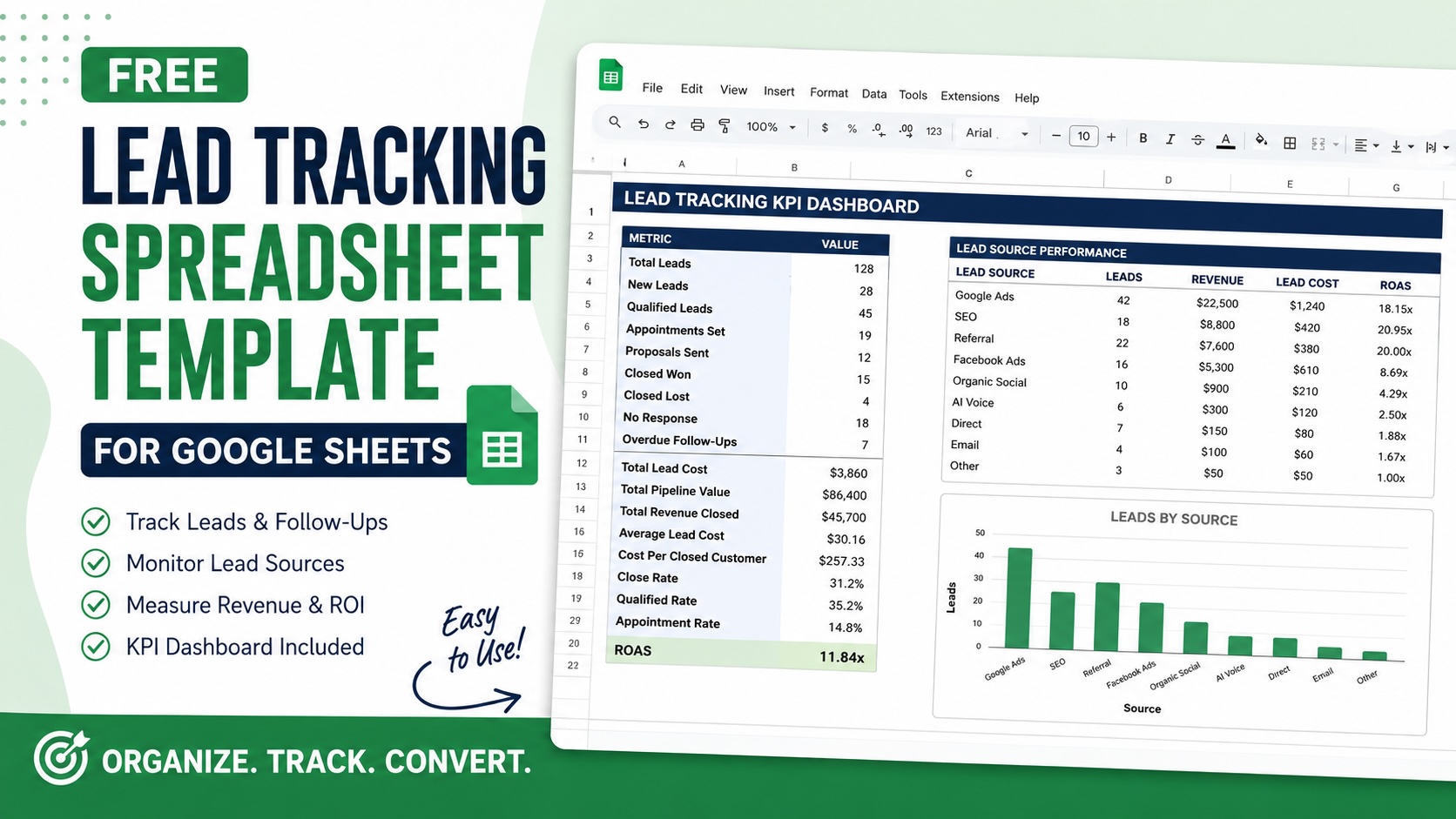
Keeping track of leads should not require expensive software or complicated CRM setups. For many local businesses and service providers, a simple and organized lead tracking system is often enough to improve follow-up, identify missed opportunities, and better understand which marketing channels are actually generating revenue.
To help simplify the process, we created a free Lead Tracking Spreadsheet Template for Google Sheets designed specifically for B2C businesses. The template includes lead tracking, follow-up management, KPI reporting, source attribution, and revenue tracking in one place.
Whether you generate leads from Google Ads, SEO, referrals, social media, or phone calls, this spreadsheet helps organize the full lead management process from first contact through closed revenue.
What Is a Lead Tracking Spreadsheet?
A lead tracking spreadsheet is a centralized system used to organize incoming leads, monitor follow-ups, track lead sources, and measure sales performance.
Instead of relying on sticky notes, inbox searches, or disconnected systems, businesses can use a structured spreadsheet to manage:
- New incoming leads
- Lead status updates
- Follow-up schedules
- Assigned sales reps
- Marketing source attribution
- Revenue tracking
- Conversion reporting
- ROI calculations
For small businesses that are not ready for a full CRM, a properly structured spreadsheet can dramatically improve organization and accountability.
Our team of experts is here to help you navigate the complex landscape and drive real results.
TALK TO AN EXPERT →What’s Included in the Template
This Google Sheets lead tracking template was built around how real service businesses actually manage leads.
The spreadsheet includes:
- Auto-generated Lead IDs
- Lead source tracking
- Sales follow-up management
- Lead status dropdowns
- Assigned rep tracking
- Revenue and lead cost tracking
- Follow-up reminders
- KPI reporting dashboard
- ROAS calculations
- Lead quality scoring
- Editable dropdown settings
Unlike generic spreadsheet templates, this one is designed around operational lead management and marketing performance tracking.
Lead Tracker Tab
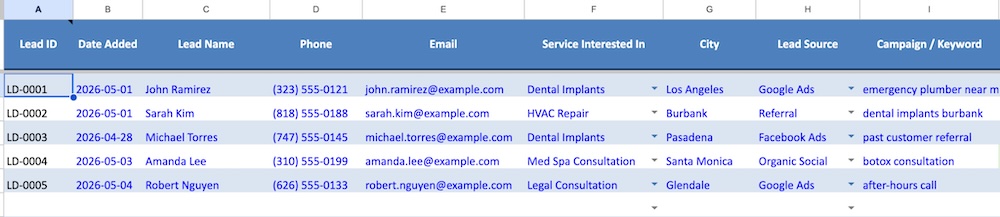
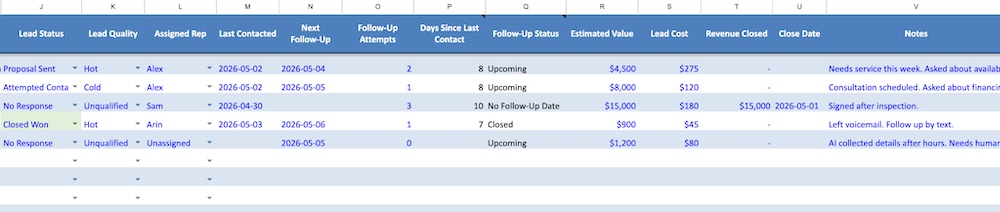
The main Lead Tracker tab is where businesses enter and manage all incoming leads.
Each row represents an individual lead and includes fields for:
- Name
- Phone number
- Service interested in
- City
- Lead source
- Campaign or keyword
- Lead status
- Follow-up tracking
- Revenue generated
- Notes
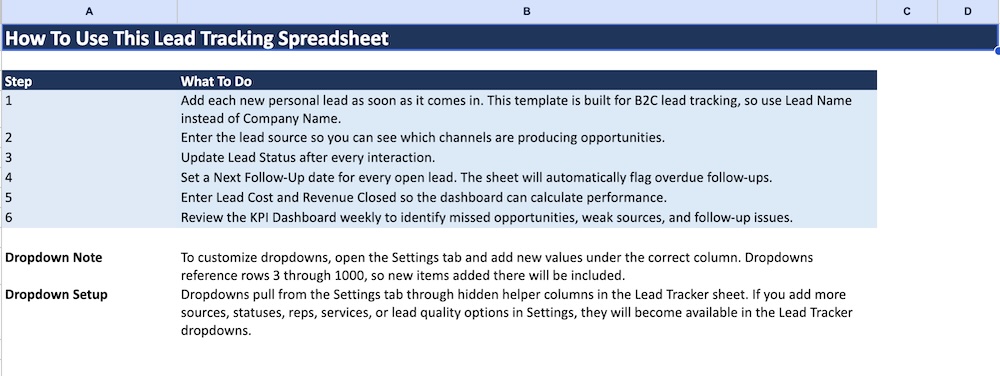
The template also uses dropdown selections to make data entry easier and more consistent.
The lead source section helps businesses identify where their best opportunities are coming from. This makes it easier to compare channels like:
- Google Ads
- SEO
- Referrals
- Facebook Ads
- Organic Social
- AI Voice Systems
- Direct Calls
Tracking this information consistently is critical when evaluating marketing ROI.
KPI Dashboard
One of the most important parts of the template is the built-in KPI Dashboard.
The dashboard automatically calculates key metrics using the data entered into the Lead Tracker tab.
Metrics include:
- Total leads
- Qualified leads
- Appointments set
- Closed deals
- Average lead cost
- Total pipeline value
- Total revenue closed
- Cost per closed customer
- Close rate
- ROAS
The dashboard also breaks performance down by lead source so businesses can quickly identify which marketing channels are producing the best results.
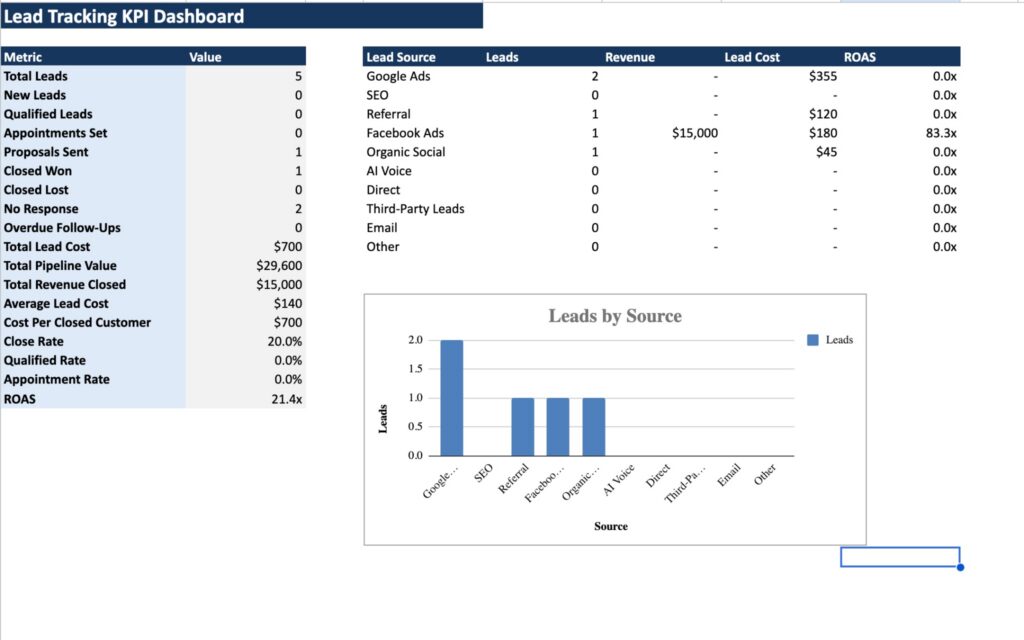
For businesses running paid advertising campaigns, this visibility is extremely important. A channel producing fewer leads may still be more profitable if those leads close at a higher rate or generate more revenue.
Why Most Businesses Lose Leads
Many businesses assume they have a lead generation problem when they actually have a lead management problem.
Common issues include:
- Slow follow-up times
- Missed phone calls
- No ownership assigned to leads
- Poor tracking systems
- Inconsistent status updates
- No visibility into source performance
- No process for overdue follow-ups
Without proper tracking, businesses often waste marketing budget because they cannot accurately measure what is working.
Even a simple lead tracking system can significantly improve response times, organization, and conversion rates.
Built for B2C Businesses
Most free lead tracking templates online are designed more for B2B sales pipelines than local service businesses.
For treatment-center stage definitions, see our rehab lead-generation and inquiry-quality guide.
This spreadsheet was built specifically for B2C lead management, making it more useful for industries like:
- HVAC
- Plumbing
- Roofing
- Dental
- Med Spas
- Legal
- Addiction Treatment
- Home Services
- Local Service Businesses
Instead of focusing heavily on company-level sales data, the spreadsheet is designed around individual consumer leads and appointment-driven workflows.
Editable Dropdown Settings
The spreadsheet also includes a dedicated Settings tab where businesses can customize dropdown values.
This allows users to easily add:
- New lead sources
- Additional lead statuses
- New service categories
- Assigned reps
- Lead quality labels
The dropdown menus automatically update throughout the spreadsheet when new values are added.
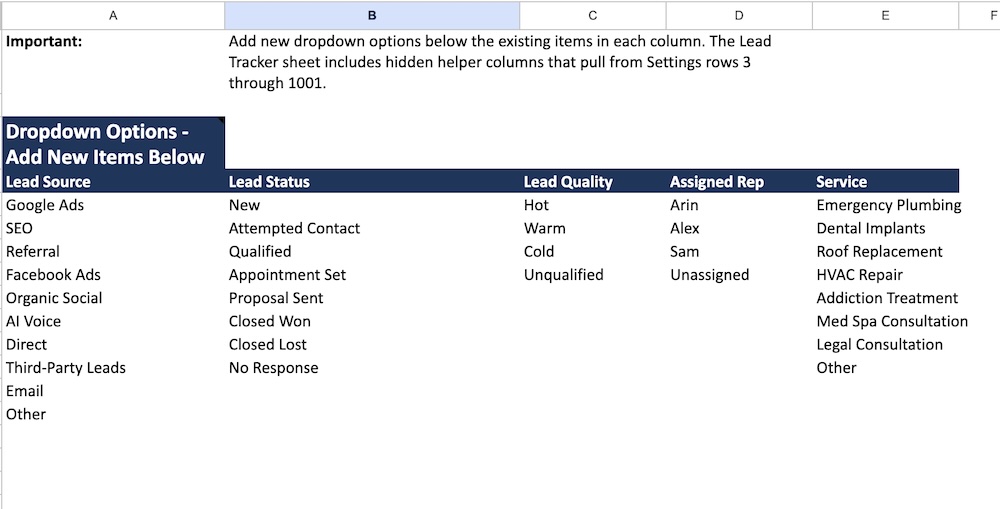
This makes the template flexible enough for a wide range of businesses and workflows.
Google Sheets vs CRM Software
Many businesses immediately assume they need expensive CRM software when their lead volume increases.
In reality, many small businesses can operate effectively with a structured spreadsheet before transitioning into platforms like:
- HubSpot
- Salesforce
- GoHighLevel
- KIPU
- Pipedrive
A lead tracking spreadsheet is often the simplest way to improve organization and accountability before investing in more advanced systems.
Download the Free Lead Tracking Spreadsheet Template
You can access and copy the free Google Sheets template below.
To use the spreadsheet:
- Open the template
- Click “File”
- Select “Make a Copy”
- Save it to your Google Drive
- Begin customizing it for your business
Final Thoughts
Generating leads is only part of the equation. Businesses also need systems in place to track, manage, and convert those opportunities effectively.
A structured lead tracking process helps businesses improve follow-up, measure marketing performance, reduce missed opportunities, and better understand where revenue is actually coming from.
For many small businesses, even a simple spreadsheet system can dramatically improve lead management and marketing visibility before moving into more advanced CRM platforms.
Brand House builds campaigns around search intent, budget control, landing pages, conversion tracking, and lead quality — so you generate qualified leads instead of just buying traffic.
TALK TO AN EXPERT →