
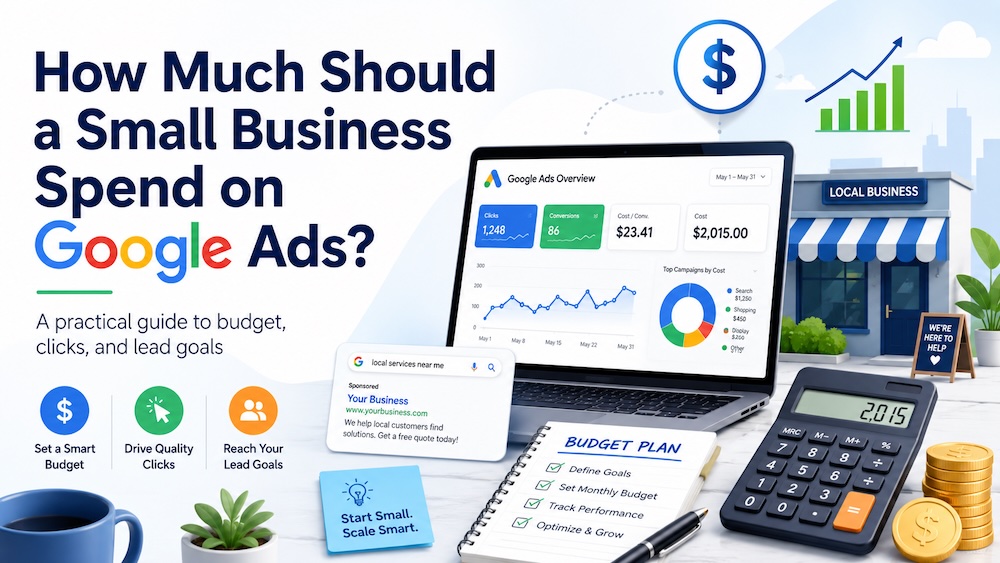
For many small businesses, a realistic starting Google Ads budget is $1,000 to $2,500 per month. A narrow campaign in a lower-cost market may be able to test with $500 to $1,000, while a competitive industry or larger service area may need $3,000 to $5,000 per month or more.
The right number depends on what clicks cost in your market, how many leads you need, how well your landing page converts, and what a new customer is worth. Your budget should be large enough to generate useful data without putting the business under financial pressure.
Quick answer: Start with $1,000 to $2,500 per month for a focused campaign. Use $2,500 to $5,000+ when clicks are expensive, the service area is large, or you need results and learning to happen faster.
Google Ads Budget Recommendations at a Glance
| Monthly Ad Spend | Average Daily Budget | When It May Make Sense | Main Limitation |
|---|---|---|---|
| $500 | About $16/day | One narrow offer, branded search, or a lower-cost local market | Learning may be slow, especially when clicks are expensive |
| $1,000 | About $33/day | A focused campaign in a smaller or moderately competitive market | May not support multiple services or locations |
| $2,000–$2,500 | About $66–$82/day | A practical starting range for many local lead-generation campaigns | Still requires tight targeting in expensive industries |
| $3,000–$5,000 | About $99–$164/day | Competitive services, larger markets, or faster testing | More budget will not fix weak tracking, targeting, or landing pages |
| $5,000+ | About $164+/day | High-cost industries, multiple campaigns, or aggressive growth goals | Requires stronger management and revenue attribution |
These ranges are planning guidelines, not guarantees. The same $2,000 budget can produce very different results for a dentist, plumber, attorney, ecommerce store, or addiction treatment center.
Our team of experts is here to help you navigate the complex landscape and drive real results.
TALK TO AN EXPERT →How to Calculate the Right Google Ads Budget
Instead of choosing a budget based only on what feels comfortable, work backward from the outcome you want.
Start with five inputs:
- How many qualified leads do you want each month?
- What is the estimated cost per click for your target searches?
- What percentage of ad visitors become leads?
- What percentage of qualified leads become customers?
- How much gross profit or lifetime value does a customer create?
Then use these formulas:
Clicks needed = desired leads ÷ expected conversion rate
Estimated monthly ad spend = clicks needed × estimated cost per click
For example, suppose you want 10 leads per month, expect the landing page to convert 5% of visitors, and estimate a $12 average cost per click:
- 10 leads ÷ 5% conversion rate = 200 clicks needed
- 200 clicks × $12 per click = $2,400 estimated monthly ad spend
This does not guarantee 10 leads. Cost per click and conversion rate will change as the campaign collects data. The calculation gives you a defensible starting point and makes your assumptions visible.
You can model these inputs with our Google Ads budget estimator.
Three Example Small-Business Budgets
The examples below are illustrations, not industry benchmarks. Replace the assumed click costs and conversion rates with estimates from your market.
Example 1: A Focused Local Service Campaign
- Estimated cost per click: $8
- Monthly budget: $1,500
- Estimated clicks: about 187
- At a 5% conversion rate: about 9 leads
This may be enough to test one high-value service in a limited geographic area. It is unlikely to support every service and every nearby city at once.
Example 2: A Competitive Professional Service
- Estimated cost per click: $25
- Monthly budget: $2,500
- Estimated clicks: about 100
- At a 6% conversion rate: about 6 leads
At higher click costs, $2,500 can still be a narrow testing budget. The business may need a stronger offer, better landing page, larger budget, or higher customer value for the economics to work.
Example 3: A Lower-Cost Ecommerce Test
- Estimated cost per click: $2
- Monthly budget: $1,000
- Estimated clicks: about 500
- At a 2% purchase rate: about 10 orders
The next question is whether the revenue and gross profit from those orders justify the $1,000 ad spend. Traffic volume alone does not determine success.
Is $500 Per Month Enough for Google Ads?
$500 can be enough for a narrow test, a branded campaign, or a lower-cost market. It is usually limited for serious lead generation.
A $500 monthly budget is about $16 per day. At $5 per click, it could purchase roughly 100 clicks. At $20 per click, it could purchase only about 25 clicks. A few leads—or no leads—could materially change the apparent conversion rate, making early results difficult to interpret.
If $500 is your limit, narrow the campaign:
- Advertise one priority service or product
- Target the strongest geographic area
- Use high-intent keywords rather than broad research terms
- Send visitors to one relevant landing page
- Track calls, forms, bookings, and qualified leads correctly
Is $1,000 Per Month Enough for Google Ads?
$1,000 per month can be enough to begin testing a focused campaign, especially in a lower-cost industry or smaller market. It may not be enough when clicks are expensive or when the business tries to cover multiple services and locations.
For example, $1,000 at $25 per click produces approximately 40 clicks. At a 5% conversion rate, that is roughly two leads before accounting for lead quality or close rate. That may be too little data to judge the channel confidently.
When $2,000 to $2,500 Is a Better Starting Budget
For many local lead-generation campaigns, $2,000 to $2,500 provides a more useful starting range. It can support more clicks, reduce the effect of very small samples, and make it easier to compare keywords, ads, and search terms.
A larger budget does not justify loose targeting. Start with the services, locations, and keywords most likely to produce profitable customers. Expand only after tracking shows what is working.
How to Convert a Monthly Budget Into a Daily Budget
Google Ads commonly uses an average daily budget. Convert a monthly amount with this formula:
Monthly Google Ads budget ÷ 30.4 = average daily budget
| Monthly Budget | Average Daily Budget |
|---|---|
| $500 | $16.45 |
| $1,000 | $32.89 |
| $1,500 | $49.34 |
| $2,000 | $65.79 |
| $2,500 | $82.24 |
| $3,000 | $98.68 |
| $5,000 | $164.47 |
Daily spending can fluctuate with demand, so monitor monthly pacing rather than assuming the account will spend exactly the same amount every day.
How Industry and Location Change the Budget
Industries with high customer values often have higher click costs because advertisers can justify spending more to acquire a customer. Legal, healthcare, addiction treatment, dental, financial services, home services, and other high-value categories may require larger testing budgets.
Geography matters as well. A campaign in Los Angeles, New York, Miami, or another competitive metro area may face higher click costs than the same service in a smaller market. A local business in a lower-competition area may be able to test with $1,000 to $1,500, while a similar business in a major market may need $2,500 to $5,000 or more.
For a location-specific example, see our guide to PPC costs in Los Angeles.
What Happens When the Budget Is Too Low?
A limited budget does not automatically make a campaign unsuccessful. Problems begin when the campaign scope is too broad for the available spend.
- Too few clicks and conversions to evaluate performance
- Budget spread across too many services, products, or locations
- High-intent searches missed because the budget runs out
- Keywords or ads judged from an unreliable sample
- Slow learning and delayed optimization
If the budget cannot increase, reduce the scope. One focused campaign can produce more useful information than a small budget divided across five services and ten cities.
Google Ads Spend and Management Fees Are Different
Your ad spend is the money paid to Google for traffic. Your Google Ads management fee pays for strategy, setup, keyword research, ad creation, conversion tracking, optimization, reporting, and related work.
If a business spends $2,000 on ads and pays $500 for management, its total monthly investment is $2,500—but only $2,000 purchases clicks. Keep these amounts separate when forecasting traffic and leads.
How to Tell Whether the Budget Is Working
A budget is working when it produces qualified opportunities and customers at an economically sustainable cost. Traffic and low-cost leads are not enough on their own.
Review:
- Search terms and wasted spend
- Cost per click and click-through rate
- Landing-page conversion rate
- Cost per lead and qualified-lead rate
- Appointment, purchase, and close rates
- Cost per acquired customer
- Revenue, gross profit, and customer value
The first 30 days often reveal setup problems, irrelevant searches, tracking gaps, and obvious landing-page issues. The following 30 to 60 days can provide a clearer view of lead quality, conversion rate, and customer economics. Expensive or low-volume markets may need longer.
Final Recommendation
Most small businesses should consider $1,000 to $2,500 per month a practical Google Ads starting range. Competitive local services, larger geographic areas, and expensive keywords may require $3,000 to $5,000 per month or more.
Choose the budget by estimating how many clicks and conversions you need—not by copying another company’s number. Start with a focused campaign, measure qualified leads and customers, and expand only when the economics support it.
Brand House helps small businesses build Google Ads campaigns around realistic budgets, accurate tracking, focused targeting, and lead quality. If you want a budget recommendation based on your market and goals, request a free strategy call.
Frequently Asked Questions
How much should a small business spend on Google Ads per month?
Many small businesses can begin with $1,000 to $2,500 per month in ad spend. Competitive industries, expensive keywords, or larger service areas may require $3,000 to $5,000 per month or more.
Is $500 a month enough for Google Ads?
$500 may be enough for one narrow test, a branded campaign, or a lower-cost market. It is generally too limited for a broad lead-generation campaign covering multiple services or locations.
Is $1,000 a month enough for Google Ads?
$1,000 can be enough to begin testing a focused campaign. Whether it produces useful data depends largely on cost per click, conversion rate, campaign scope, and lead volume.
How much should I spend on Google Ads per day?
Divide your monthly budget by 30.4. A $1,500 monthly budget is approximately $49 per day, while a $3,000 monthly budget is approximately $99 per day.
Should management fees be included in the Google Ads budget?
No. Ad spend is paid to Google for traffic. Management fees cover the work required to build, track, manage, and improve the campaign. Include both when calculating the total marketing investment, but keep them separate when forecasting clicks and leads.
How long should a small business test Google Ads?
Many businesses need at least 30 to 90 days to evaluate search terms, tracking, conversion rate, lead quality, and customer outcomes. The appropriate period depends on traffic volume, sales cycle, and how quickly the campaign generates meaningful conversion data.
Brand House builds campaigns around search intent, budget control, landing pages, conversion tracking, and lead quality — so you generate qualified leads instead of just buying traffic.
TALK TO AN EXPERT →