
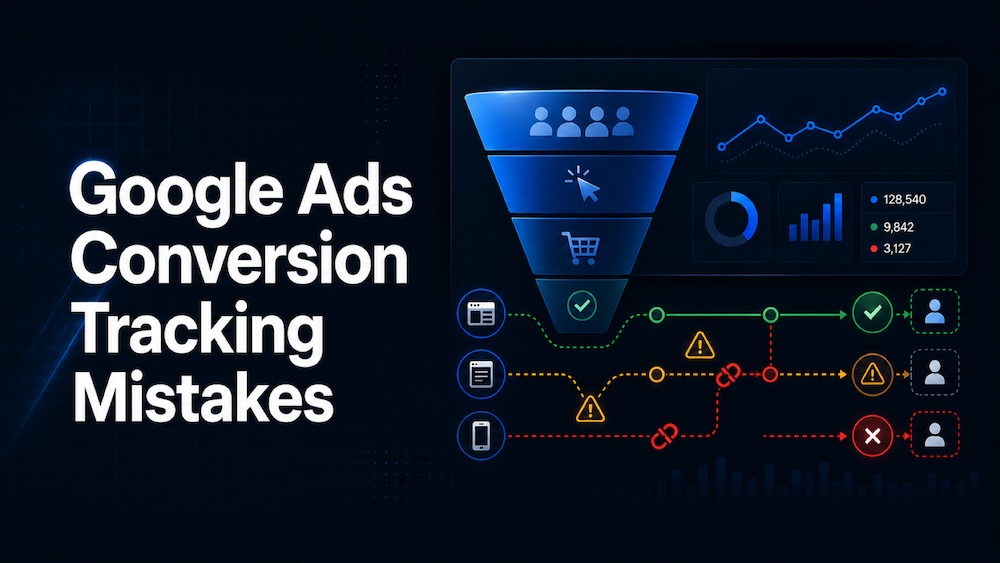
The conversion column is one of the first places most advertisers look when reviewing a Google Ads campaign.
How many conversions did the campaign generate? What was the cost per conversion? Which keywords produced the best results?
Those numbers help determine where the budget goes next. But they’re only useful when the tracking behind them works correctly.
We’ve reviewed accounts where the reported conversion total looked strong, but the business wasn’t receiving the same number of leads or sales. Sometimes one lead was counted twice. Sometimes real conversions were missing. In other cases, Google was counting button clicks or page visits as if they were actual leads.
Conversion tracking errors don’t only affect reporting. They also affect automated bidding.
Google uses your conversion data to decide which searches, users, devices, and placements are most likely to produce the result you’ve defined. When the setup sends Google the wrong signals, campaigns can optimize toward actions that don’t produce revenue.
Here are seven common Google Ads conversion tracking mistakes and what you can do about them.
1. Counting a thank-you page visit as a completed lead
A common way to track lead forms is to fire a conversion when someone reaches the thank-you page.
This setup can work if that page is only accessible after a successful form submission. The problem is that many thank-you pages can be reached in other ways.
Someone can refresh the page after submitting a form, return to it through their browser history, bookmark it, share the URL, or access it without submitting the form.
In each case, Google Ads can count another conversion even though the business didn’t receive a new lead.
There are also forms that redirect visitors to a thank-you page before confirming that the information was successfully sent. The visitor sees a confirmation message, but the lead never reaches the business.
A better way to track it
Track the successful form submission instead of relying only on the thank-you page.
The conversion should fire after the website confirms that it accepted the form. If the form displays an error or fails to send, the conversion shouldn’t fire.
Once the tracking is installed, submit the form yourself. Then refresh the page, return to it through your browser history, and try submitting it with missing information.
You should see one conversion for the successful submission and nothing for the other attempts.
The goal is to track the completed action, not simply the page that appears afterward.
If the form and thank-you flow are part of a paid campaign, the tracking should be reviewed alongside the landing page and conversion path, not as a separate technical task.
Our team of experts is here to help you navigate the complex landscape and drive real results.
TALK TO AN EXPERT →2. Using every website interaction as a primary conversion
Tracking smaller website actions can help you understand how visitors use a landing page.
You can track visits to the contact page, phone-number clicks, chat opens, video views, downloads, page scrolling, and form starts.
These actions can provide useful information. They just don’t all represent leads or sales.
The problem starts when every action is classified as a primary conversion.
According to Google’s conversion goal documentation, primary conversion actions can be included in the main Conversions column and used for bidding when a campaign is optimizing toward that goal. Secondary actions remain available for observation without serving as the main bidding signal.
In other words, a primary conversion isn’t just another number in the account. It tells Google what you want more of.
If a contact-page visit is treated as a primary conversion, Google can spend the budget finding people who visit that page but never contact the business.
What should be primary?
Actions such as completed purchases, submitted lead forms, booked appointments, qualified calls, and paid subscriptions can make sense as primary conversions.
Smaller interactions can stay as secondary conversions. You’ll still be able to monitor them without asking Google to treat them like completed leads or sales.
3. Counting the same conversion more than once
Duplicate conversions can make a campaign look far more successful than it is.
One of the most common causes is tracking the same form submission through two different sources.
For example, a website can have a native Google Ads conversion tag and a Google Analytics event for the same form. If the Analytics event is imported into Google Ads and both actions are marked as primary, one form submission can appear as two conversions.
Duplicate tracking can also happen when the same Google Tag Manager container is installed twice, a Google Ads tag is installed directly and through Tag Manager, or a button click and completed form submission are both counted.
E-commerce websites can run into the same problem when the purchase tag fires again after someone refreshes the order-confirmation page.
Where to look for duplicates
Open the conversion summary in Google Ads and review every action contributing to the total.
Don’t stop at the number in the main Conversions column. Break the report down by conversion action and check where the conversions are coming from.
If you see two similarly named actions producing nearly identical numbers, investigate whether they’re tracking the same event.
For purchases, pass a unique transaction ID with each order. Google uses that ID to recognize and remove duplicate purchase conversions. Google explains the setup in its guide to using transaction IDs to minimize duplicate conversions.
A useful rule is that one completed customer action should produce one intended conversion. If it produces more, find out why before using that data to make campaign decisions.
4. Choosing the wrong conversion count setting
Google Ads lets you choose whether an action should count one conversion or every conversion following an ad interaction.
The right setting depends on what the conversion represents.
For most lead-generation campaigns, counting one conversion often makes sense. If someone clicks an ad and submits the same contact form three times, the business probably didn’t receive three unique prospects.
For an online store, counting every conversion often makes sense because each completed order produces additional revenue.
A simple starting point looks like this:
| Conversion action | Common count setting |
|---|---|
| Contact form submission | One |
| Consultation request | One |
| Qualified phone call | One |
| Completed purchase | Every |
| Repeat transaction | Every |
These aren’t rules for every account. The setting needs to reflect how the business values the action.
Ask what the business receives when the action happens more than once. If each repeated action creates additional value, “Every” can be appropriate. If the repeated actions still represent one prospect, “One” can provide a more useful lead count.
5. Treating every form submission as a qualified lead
A completed form confirms that someone submitted information. It doesn’t confirm that the person is a good prospect.
Lead forms can receive spam, fake contact information, job inquiries, vendor solicitations, requests from outside the service area, and inquiries for services the business doesn’t offer.
Google Ads can report all of these as successful conversions if the tracking stops at the initial form submission.
This creates a gap between advertising performance and sales performance. The campaign reports 20 conversions, but the sales team receives only two qualified opportunities.
This is one of the reasons lead generation can fail even when traffic and form volume look healthy.
Compare the ad data with the sales data
Look beyond the number of submitted forms.
How many submissions were real? How many were qualified? How many appointments were booked? How many leads became customers?
For a stronger setup, qualified leads and completed sales can be sent back to Google Ads from the CRM through offline conversion tracking or enhanced conversions for leads.
If the business isn’t ready for a full CRM, our free lead-tracking spreadsheet offers a simpler way to record lead source, status, quality, and revenue.
This gives Google more useful information than the initial form submission alone.
Even without a full CRM integration, regularly compare the conversion total with the leads the business actually received. If Google Ads reports 30 conversions and only 12 leads reached the inbox or CRM, there’s something to investigate.
6. Expecting Google Ads and Google Analytics to report identical numbers
A difference between Google Ads and Google Analytics doesn’t automatically mean one of the platforms is broken.
The platforms can use different attribution models, conversion windows, counting methods, and reporting dates. There can also be processing delays, modeled conversions, and invalid click filtering.
For example, someone can click an ad on Monday and submit a form on Wednesday. Google Ads can associate the conversion with Monday’s ad interaction, while Analytics can report it on Wednesday when the conversion occurred.
Google provides a more detailed explanation in its guide to Google Analytics and Google Ads conversion discrepancies.
For a broader look at attribution and channel reporting, we also explain how measurement differs between PPC and SEO.
How to compare the numbers
First, make sure you’re comparing the same conversion action and date range.
Then check whether you’re looking at the Conversions column or All Conversions. Primary actions appear in the main Conversions column, while secondary and other conversion types can appear under All Conversions.
You should also compare the count settings, attribution settings, and conversion windows.
The numbers don’t need to match exactly. They do need to be close enough that you can explain the difference.
If one platform reports twice as many leads as the other and no one knows why, don’t ignore it. Trace the conversion from the original click through the website and into the final report.
7. Assuming the tracking still works because it worked before
Conversion tracking can work perfectly when a campaign launches and break after one small website change.
A form plugin gets updated. A landing page is rebuilt. The thank-you page receives a new URL. A cookie consent banner is added. The business changes scheduling platforms or moves to a different CRM.
Sometimes the entire website is migrated and the advertising tags don’t make it to the new version.
None of these changes look like Google Ads changes, but each one can affect conversion tracking.
That’s why I don’t assume the tracking still works just because conversions continue appearing in the account. Old tags, duplicate events, and incorrect actions can continue producing numbers long after the original setup has changed.
Test it like a customer
Go through the same process a real customer would.
Click through to the landing page, submit the form, book the appointment, place a test order, or complete whatever action the campaign is supposed to generate.
Watch the tags with Google Tag Assistant and confirm that the intended conversion fires once. Then check the destination. Did the lead reach the correct inbox or CRM? Did the appointment appear in the scheduling platform? Did the order show up with the correct value?
After that, refresh the confirmation page and use the back button. The conversion shouldn’t fire again unless another real transaction takes place.
This type of test doesn’t take long, and it can uncover problems that account-level reports won’t show.
A quick way to review an existing account
Start by opening the conversion summary in Google Ads and looking at the actions marked as primary.
For each one, ask:
- What exactly has to happen for this conversion to fire?
- Does that action represent a lead or sale the business values?
- Can the same action be counted somewhere else?
- Can one person trigger it more than once?
- Does the number make sense when compared with the CRM, inbox, scheduling platform, or order system?
You should be able to explain every primary conversion in plain language.
For example: “This conversion fires once when someone successfully submits the consultation form, and the lead is then added to our CRM.”
If the explanation is unclear, or if several conversion actions seem to measure the same thing, the setup deserves a closer look.
Questions we hear about Google Ads conversion tracking
Why does Google Ads show more conversions than the number of leads we received?
Start by checking for duplicate conversion actions and thank-you pages that can fire more than once.
Also look at what Google Ads considers a conversion. The account can be including phone-number clicks, chat opens, contact-page visits, or other smaller actions in the total.
If the tracking is accurate but the lead count is still higher, compare the form submissions with the CRM. Spam and unqualified inquiries can explain part of the difference.
Why does a conversion appear in Google Analytics but not Google Ads?
Confirm that the Analytics event has been imported into the correct Google Ads account and check whether it is marked as primary or secondary.
The conversion can also fall outside the Google Ads conversion window or take time to appear. Attribution settings, consent choices, and invalid click filtering can create additional differences.
Should we use a Google Ads tag or import the conversion from Google Analytics?
Both approaches can work.
The bigger concern is accidentally using both as primary conversions for the same customer action.
Choose a clear source for each conversion, give the actions names that anyone can understand, and document what each one measures. That makes future troubleshooting much easier.
How often should the tracking be tested?
Test it whenever something changes on the website, form, checkout, scheduling platform, CRM, tags, or cookie consent setup.
It’s also worth running a test before making a major budget decision. If you’re preparing to increase spend based on the reported conversion volume, first confirm that those conversions are real.
Don’t optimize a campaign around a number you haven’t verified
When Google Ads reports 50 conversions, the natural response is to look for ways to get 60.
Before increasing the budget, make sure the business actually received those 50 leads or sales.
Check the conversion actions, complete a test, and compare the account with the CRM or order system. If the numbers don’t line up, fix the tracking before asking the campaign to produce more. That same order of operations is important when reducing wasted Google Ads spend without increasing the budget.
Google’s bidding system can only work with the information it receives. The closer that information is to a real business result, the more useful the campaign data becomes.
If the conversion numbers in Google Ads don’t match what you’re seeing in your inbox, CRM, or sales reports, we can help trace where the difference is coming from. Request a Google Ads conversion tracking review.
Brand House builds campaigns around search intent, budget control, landing pages, conversion tracking, and lead quality — so you generate qualified leads instead of just buying traffic.
TALK TO AN EXPERT →