

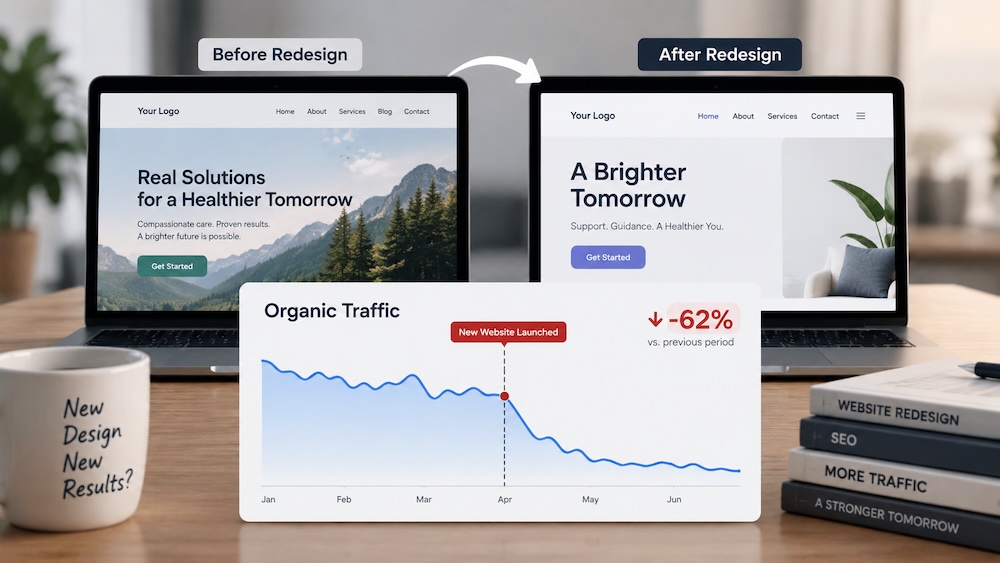
A website redesign is meant to enhance your website’s functionality and aesthetics.
However, what if your organic traffic decreases dramatically after the launch of the redesigned website?
We encountered this with a new client. Their website was redesigned prior to engaging our services; the new website appeared functional initially. Upon further investigation into the decrease in traffic, we discovered altered URLs, deleted pages, rewritten content, revised titles and meta descriptions, and technical issues resulting from the rebuild.
Some of the modifications were obvious. Others were located within more than 180 pages.
If your organic traffic decreased after a redesign or significant update of your website, then the decrease in traffic may not be coincidental. Below are several items you should evaluate to determine whether the redesign contributed to the decrease in organic traffic.
Did your organic traffic decrease after a redesign of your website?
Begin with the timing.
Evaluate your organic traffic before and after the launch of the new website. Utilize Google Search Console and Google Analytics to identify when the decrease began. Do not limit your analysis to only total traffic. Analyze which pages experienced reduced clicks and impressions. If the greatest decreases occurred on pages that were modified during the redesign, then those pages warrant additional investigation.
However, the redesign is not always the source of the decrease in organic traffic. It is feasible that a Google algorithm update, seasonal variations, or other factors could have occurred simultaneously with the decrease in organic traffic. Currently, your objective is to determine if the dates and affected pages align.
Our team of experts is here to help you navigate the complex landscape and drive real results.
TALK TO AN EXPERT →Why can redesigns result in decreases in organic traffic?
Google is knowledgeable about your current website. It has crawled your pages, indexed your URLs, reviewed your content, and identified the relationships between your pages.
Additionally, certain pages may have established search engine visibility over a period of many years. Redesigns can eliminate much of that visibility in a single day. A URL may be modified. A page may be eliminated. A service page that once included 1,000 words may be reduced to a single paragraph due to the designer’s preference for a cleaner appearance.
Redesigns are not inherently detrimental to SEO. The issue arises when redesigns are implemented without considering what contributed to the previous ranking success of your website.
Compare when your traffic decreased to when your website was redesigned
Find the date that the redesigned website became live and compare your search engine performance before and after that date. Google Search Console will be especially useful in this regard. Examine clicks, impressions, search queries, and individual pages.
You may find that the entire website experienced a decrease in organic traffic. Alternatively, the issue may be isolated to a particular category of service pages, location pages, blog posts, or other segments of your website. Distinguishing between these two scenarios provides you with a more refined understanding of where to focus your subsequent investigation.
Check if any URLs were altered during the redesign
One of the initial steps we take is to determine whether any URLs were altered.
For instance:
Former URL: example.com/services/addiction-treatment
New URL: example.com/treatment-services
While both of these URLs likely reference the identical page, Google views them as separate URLs. If the former URL had established rankings, backlinks, and a lengthy history, you would prefer that it does not simply vanish. Typically, the former URL should redirect to the most relevant page on the redesigned website.
Determining which URLs were altered during the redesign is a complex endeavor. This process may necessitate comparison of a crawl or snapshot of the former website with the redesigned website.
Search for deleted pages, 404 errors, and non-functioning redirects
Some URLs are not altered; rather, they are eliminated entirely. This occurs when an agency decides that specific pages are no longer relevant during the redesign process. A crawl of your website will assist in identifying broken links, 404 errors, and redirect-related problems.
However, locating a 404 error is merely a component of the investigative process. You must also ascertain what previously resided at that URL. Was it generating organic traffic? Was it ranking for high-value search queries? Did other websites link to it?
Eliminating a page that receives no organic traffic is significantly different from eliminating a page that generates prospective customer visits to your website on a monthly basis.
Search for pages that were consolidated or eliminated
This was one of the issues we identified with our client’s redesign. Their former website featured a dedicated team page.
Additionally, each individual member of their team possessed a unique profile page. The redesigned website relocated their team to the “About” page. The individual profiles were transformed into pop-ups rather than individual pages.
Furthermore, the URL of their “About” page was modified. From a design perspective, this may appear as a relatively straightforward simplification. From a search engine perspective, multiple URLs and indexed content components were eliminated.
Consequently, an SEO audit cannot be limited to identifying broken links. You must comprehend what existed prior to the redesign and what superseded it.
There are instances where consolidation of pages is appropriate. The crucial aspect is understanding what you are relinquishing before implementing the consolidation.
Verify whether noindex tags or other indexing issues exist
A page can appear completely normal yet remain excluded from Google’s search results. An item to examine is whether essential pages were inadvertently tagged as noindex. Tagging a page as noindex instructs search engines to exclude that page from their search results. This may occur during a redesign if settings employed on a development iteration of the website are transferred to the production version.
Additionally, you should verify whether Google can access and index the pages you desire to appear in search results. You can manually inspect a limited number of pages. On a large-scale website, crawling the website will greatly facilitate this verification.
Ensure congruity between your mobile and desktop websites
We also observed discrepancies between our client’s mobile and desktop websites. Certain pages available on their desktop website were not available on their mobile website. In other cases, the URLs or content did not correspond as anticipated. Congruity is imperative because Google primarily utilizes the mobile version of a website for indexing purposes.
Additionally, there is a fundamental business-related question to consider: Was that page intentionally removed from mobile access? If an essential service or piece of information is accessible to desktop users, then you should confirm whether mobile users can also access it.
Do not assess a redesign solely from a desktop viewpoint. Assess the essential pages, content, navigation, and links on mobile devices as well.
Compare your page titles, meta descriptions, heading tags, and content
URLs are not the sole components that undergo modification during a redesign process. Titles are rewritten. Headings are modified. Meta descriptions are replaced. Content is shortened or eliminated. Some modifications may constitute improvements.
Nevertheless, you should be aware of how a page was performing prior to modifying the elements that aided Google in understanding it.
For instance, a page title may be shortened because the redesigned version is visually appealing. In doing so, essential terminology pertaining to the service may be eliminated.
Compare essential pages before and after the redesign process. Do not presume that the redesigned version is superior solely because it is aesthetically pleasing.
Did your redesign eliminate content that was assisting your pages in ranking?
This is a common error committed during a redesign process. A designer views a page with substantial textual content and wishes to improve its visual appeal.
Therefore, several sections are replaced with larger images, shorter headlines, and less textual content.
Although the redesigned version may appear visually appealing, the issue is that some content that was eliminated may have described the company’s services, geographical locations, experience, or other information that contributed to the page’s ranking success.
Although this does not imply that every page requires thousands of words of textual content, it does imply that you should not eliminate content from a page that is performing well without first identifying what purpose that content serves for you.
Determine whether your internal linking structure and site hierarchy were altered
Internal links facilitate connectivity between the pages of your website. A redesign frequently modifies navigation menus, footers, service pages, location pages, and other sections containing those links. A previously important page that received multiple internal links from various sections of the site may now be situated deeper within the site hierarchy.
Additionally, you may possess internal links that continue to point to former URLs or pages that no longer exist. A crawl of your website will enable you to identify these issues far more rapidly than individually inspecting each page.
Identify former code that was transferred to the redesigned website
This was one of the most substantial issues we encountered with our client’s redesign process. Their former website was developed using a specific page builder. Their redesigned website was developed using an alternative page builder.
During the migration process, segments of code from their former page builder were embedded into the content of their redesigned website. Their development team failed to identify all instances of this transfer. Certain pages contained former code intermingled directly within their content, thereby altering what users and search engine crawlers were reading.
This did not occur on five or ten pages. We remedied more than 180 pages with these types of issues. These types of issues are readily overlooked if an individual examines only the home page, navigates through a few service pages, and declares the migration process complete. When an existing website is redeveloped utilizing an alternative platform, theme, or page builder, the migrated content itself requires review.
An SEO audit of a redesign encompasses more than identifying broken links
An SEO audit of a redesign is not solely concerned with identifying 404 errors. In our client’s scenario, we identified modifications to URLs, deletions of pages, structural alterations to pages, mobile-desktop variances, modifications to content, and former page builder code disseminated throughout more than 180 pages.
Some issues can be identified through a crawl; however, other issues require comparison of the former website with the redesigned website and comprehension of how significant pages performed prior to the redesign process. Tools such as Screaming Frog, Ahrefs, Google Search Console, and Google Analytics will facilitate this investigation process.
However, these tools will not provide you with guidance regarding every decision you must make. You will still need to comprehend what modifications transpired and whether those modifications ultimately matter.
What actions should you take if your website redesign resulted in a decrease in organic traffic?
If you discover multiple issues among those discussed previously, do not immediately embark upon another round of modifications to your website. Initially, document all modifications that occurred and identify which pages experienced the greatest decreases in organic traffic and search engine visibility.
Subsequently prioritize your actions. A page that experienced minimal organic traffic will likely be less urgent than a service page that attracted qualified visitors to your website on a monthly basis. Your course of action will depend upon what issues ultimately resulted in the decrease in organic traffic.
For example, potential recovery strategies may include resolving redirects, restoring pages or content, correcting indexing deficiencies, removing former page builder code from migrated content, rebuilding internal links, or rescinding specific decisions made during the redesign process.
Strategies for preventing organic traffic loss during future website redesigns
The most effective approach for protecting your organic traffic is to grab a snapshot of all your links and SEO data before redesigning your website.
For treatment providers, our rehab website design approach connects program information, mobile contact paths and migration planning.
Your snapshot should document your URLs, significant pages, titles, content, internal links, organic traffic levels, and search engine performance metrics for each page on your website.
Your agency should be aware of which pages currently possess established organic value prior to modifying or removing them from your redesigned website. Every significant modification will then possess a rationale behind its implementation.
If a URL is modified during your redesign process, then there should be a plan for redirecting former users or search engine crawlers to the most relevant page on your redesigned website.
If a page is eliminated during your redesign process, then someone should be aware of whether that page generated organic traffic levels or ranked for high-value search queries prior to its elimination from your redesigned website.
If significant content is rewritten during your redesign process, then its existing search engine performance metrics should be evaluated prior to rewriting it for your redesigned website.
Although this does not prohibit you from implementing substantial enhancements to your website during your redesign process, it does imply that you should not sacrifice years worth of organic search engine performance metrics simply because no one evaluated what was functioning prior to initiating development of your redesigned website.
Need assistance recovering lost organic traffic after a website redesign?
If your organic traffic decreased after a website redesign process, then determining why it decreased may necessitate more than examining a traffic report.
At Brand House, we can assist you in comparing what was modified during your redesign process, crawl your website for technical issues, evaluate its search engine performance metrics and identify issues that may have arisen during your redesign process.
Furthermore, you may not necessarily need to revert back to your original website design. Your objective is to identify which issues are most critical to resolve in order to recover lost visibility.
If your organic traffic decreased after a website update process and you are uncertain why it decreased, please contact Brand House and we will investigate what modifications transpired during your website update process.
Brand House builds campaigns around search intent, budget control, landing pages, conversion tracking, and lead quality — so you generate qualified leads instead of just buying traffic.
TALK TO AN EXPERT →